Radio King Car Audio · Dublin
Call us

Cookie preferences

Choose what we're allowed to load. Nothing optional runs until you say so.

Strictly necessary

Always active

Keep your basket, your light/dark preference and the checkout working. Stored on your device only — we can't switch these off.

Original screen. New possibilities.

Apple CarPlay activation in Dublin

Your maps, music and calls — on the screen that is already in your car.

We activate factory Apple CarPlay on compatible BMW, Audi, Mercedes and VW Group systems. Send your registration or VIN with a photo of the screen and we'll confirm the right route before you book.

Factory screen & controls Compatibility checked first Japanese imports considered Dublin workshop
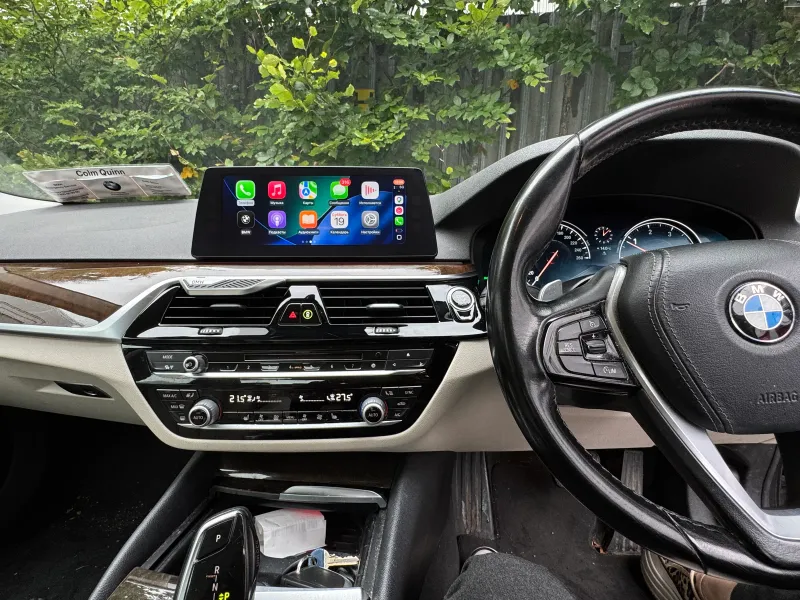
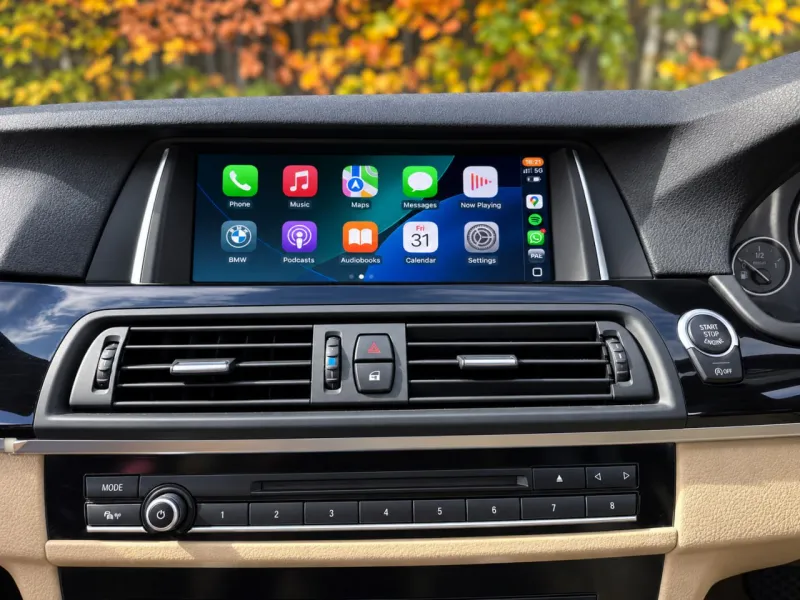
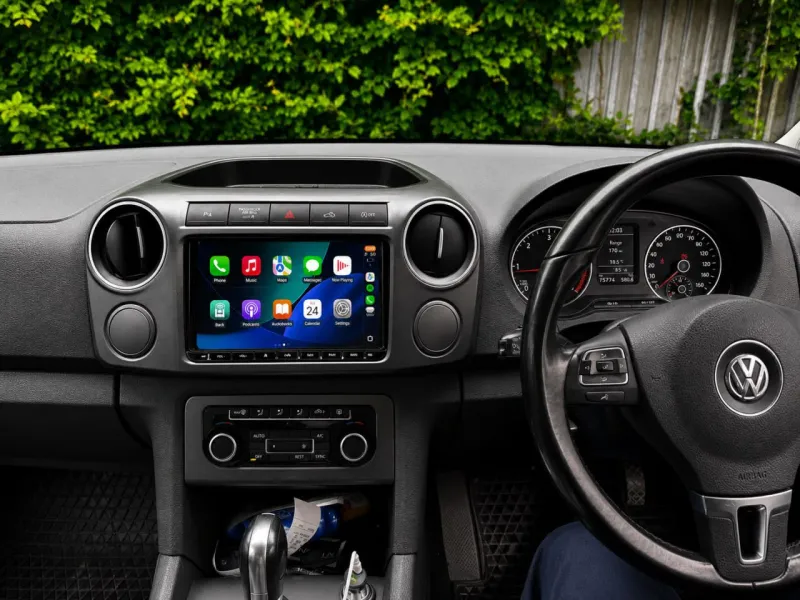
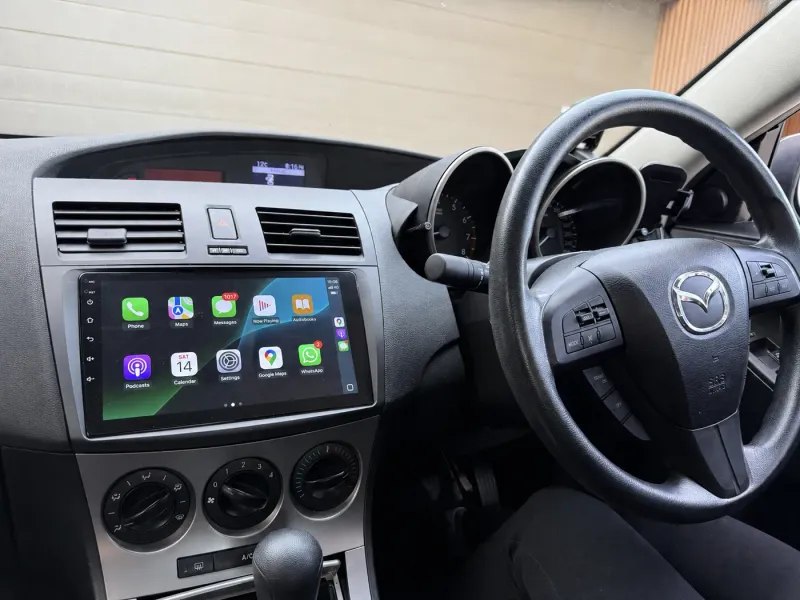
Apple CarPlay home screen with Google Maps, Spotify, Waze, WhatsApp and Telegram on a car display
CarPlay activation by car brand

Find your factory system

Compare the menus below. Your exact unit, its software and the car's factory equipment decide what is possible — not the model year alone.

BMW

01

iDrive · NBT EVO

BMW iDrive main menu shown as ID4, ID5, ID6, ID7 and ID8 screen generations
  • ID4
  • ID5
  • ID6
  • ID7
  • ID8

We check BMW iDrive and NBT EVO units for factory CarPlay support. ID5 and ID6 are the common activation enquiries; other versions need an individual check.

ID4 is shown to help you identify the system. It may need an update or a retrofit, not activation alone.

BMW CarPlay options

Audi

02

MMI · Smartphone interface

Audi MMI menu shown as MIB2 and MIB3 system generations
  • MIB2
  • MIB3

Audi smartphone interface brings compatible phone apps onto the original MMI screen. We check MIB2 and MIB3 units for the right hardware and the available activation route.

The USB connection, software version and factory equipment decide it — not the shape of the MMI screen.

Audi CarPlay options

Mercedes

03

NTG · MBUX

Mercedes-Benz head unit menu shown as NTG 5.0, NTG 5.5 and NTG 6.0 system generations
  • NTG 5.0
  • NTG 5.5
  • NTG 6.0

Selected Mercedes-Benz NTG 5.0, NTG 5.5 and NTG 6.0 systems support Smartphone Integration. We check the exact unit and the car's equipment before confirming whether software activation is available.

Earlier NTG units are assessed separately; some need a CarPlay interface module instead.

Mercedes CarPlay options

VW Group

04

Volkswagen · SEAT · Škoda

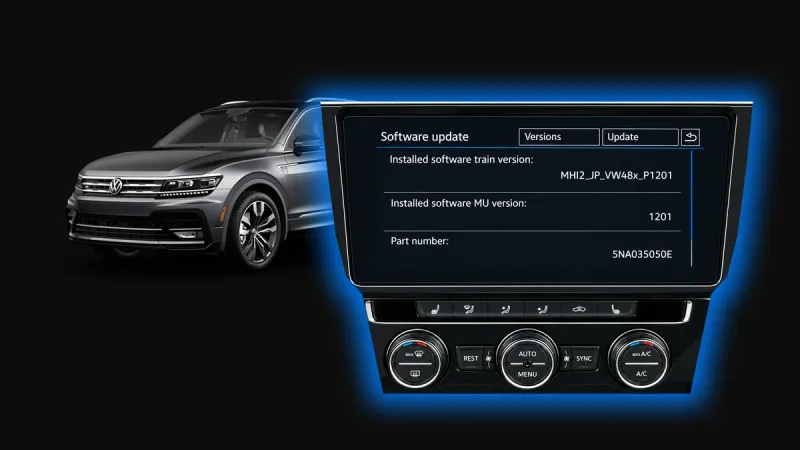
Volkswagen Group head unit menu shown as MIB2 and MIB3 system generations
  • MIB2
  • MIB3

Looking for VW App-Connect, Škoda SmartLink or SEAT Full Link? We check compatible MIB2 and MIB3 systems for Apple CarPlay and, where supported, Android Auto.

A missing or locked menu is a useful clue, but it does not prove the unit can be activated.

VW Group CarPlay options

The screens above are system references, not a guarantee of compatibility. Actual menus vary by model, equipment and software version.

Can't find your car — or not sure it's supported?

Send a photo of your home screen with your registration or VIN. We'll check the unit and tell you which route applies, free.

Ask on WhatsApp
Activation or installation?

The right route, before you book

The same model can leave the factory with different multimedia units. We start with compatibility, then explain the work and the price — in that order.

01 Compatible factory system

Activate what's already there.

If the unit supports native Apple CarPlay but the feature was never enabled, activation is usually the simplest route.

  • Keep the original screen and factory controls
  • No add-on CarPlay box for a software-only activation
  • Unit-specific coding or software work
  • Phone pairing and function checks at handover
Check my car for activation
02 CarPlay not supported

Add CarPlay to the factory screen.

If there is no compatible CarPlay function to enable, an interface module may be an option. That is a separate installation and is quoted separately.

  • Retain the factory screen where compatible
  • Module fitted behind the dashboard
  • Apple CarPlay and Android Auto options
  • Equipment and controls checked for your car
Explore CarPlay installation
Inside an activation

It's coding,not a box.

On a compatible unit, CarPlay is already in the hardware and only switched off. We connect to the car, confirm what the unit supports and switch the feature on in software.

  • We read the VIN and the head unit before quoting
  • The original coding is saved before anything changes
  • CarPlay is tested with your phone at handover
radioking — coding session
workshop ~ % rk-diag connect --vin WBA8E9C5XGK******
✓ Connected · BMW 3 Series F30 · 2016
Head unit: NBT EVO (ID5)
workshop ~ % rk-diag read --unit headunit
Software level checked
CarPlay hardware: present
CarPlay feature: switched off
workshop ~ % rk-code enable --feature carplay --backup
Original coding backed up
Writing 100%
Unit restarting…
workshop ~ % rk-test --phone iphone --wireless
✓ CarPlay connected · Maps · Spotify · Siri · calls
✓ Steering-wheel buttons and microphone checked
workshop ~ %
An example session on a compatible BMW. Every car is checked individually first.
VIN

We read the VIN

What the factory actually fitted to your car, not the model in general.

HU

Head unit and software

The exact unit and its software level decide whether coding is enough.

OK

Switched on and tested

CarPlay tested with your own phone before you drive away.

Everyday CarPlay

Familiar controls, more useful journeys.

Connect a compatible iPhone and use supported apps through the factory screen. Which controls and features you get depends on your car and its software.

Navigation

Apple Maps, Google Maps or Waze, with directions on the factory screen and audio through your own speakers.

Music & podcasts

Spotify, Apple Music and your podcasts in the car without replacing the radio you already have.

Calls & messages

Siri handles supported calling and messaging, so your attention and your hands stay where they belong.

Your factory controls

Touchscreen, rotary controller or steering-wheel buttons — whichever your system supports keeps working.

From first message to first drive

Checked. Activated. Ready for your iPhone.

No guesswork and no surprise invoices: compatibility first, then the work we agreed.

  1. 01

    Send your car details

    Make, model, year, registration or VIN, plus a photo of the home menu. We may also ask for the software-version screen.

  2. 02

    Get a clear answer and quote

    We confirm the likely activation route, wired or wireless support, and any updates or parts needed. Extra work is discussed before booking.

  3. 03

    Visit our Dublin workshop

    We check the unit and carry out the agreed activation. Straightforward jobs are often done in under an hour; updates can take longer.

  4. 04

    Pair your phone and test

    We check CarPlay, audio, calls and the supported controls with your iPhone, alongside the relevant factory functions.

From the workshop

Same dashboard, new home screen

Both of these cars kept the screen, the trim and the factory buttons they arrived with. Only what runs on the screen changed.

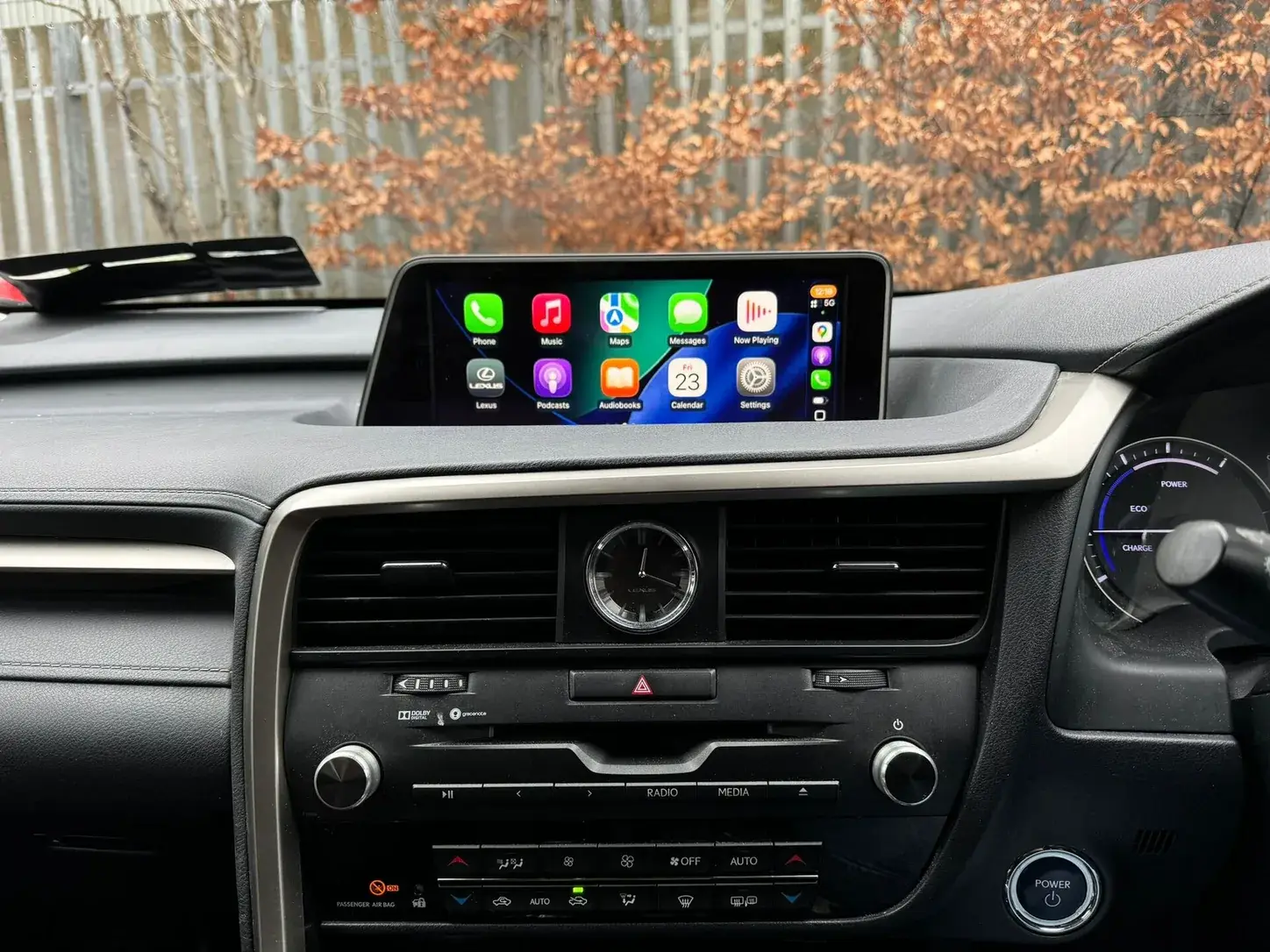
Lexus RX450h factory screen running Apple CarPlay after activation at Radio King in Dublin Apple CarPlay
Lexus RX450h · 2016 Apple CarPlay on the original Lexus screen. Nothing on the dashboard was replaced.
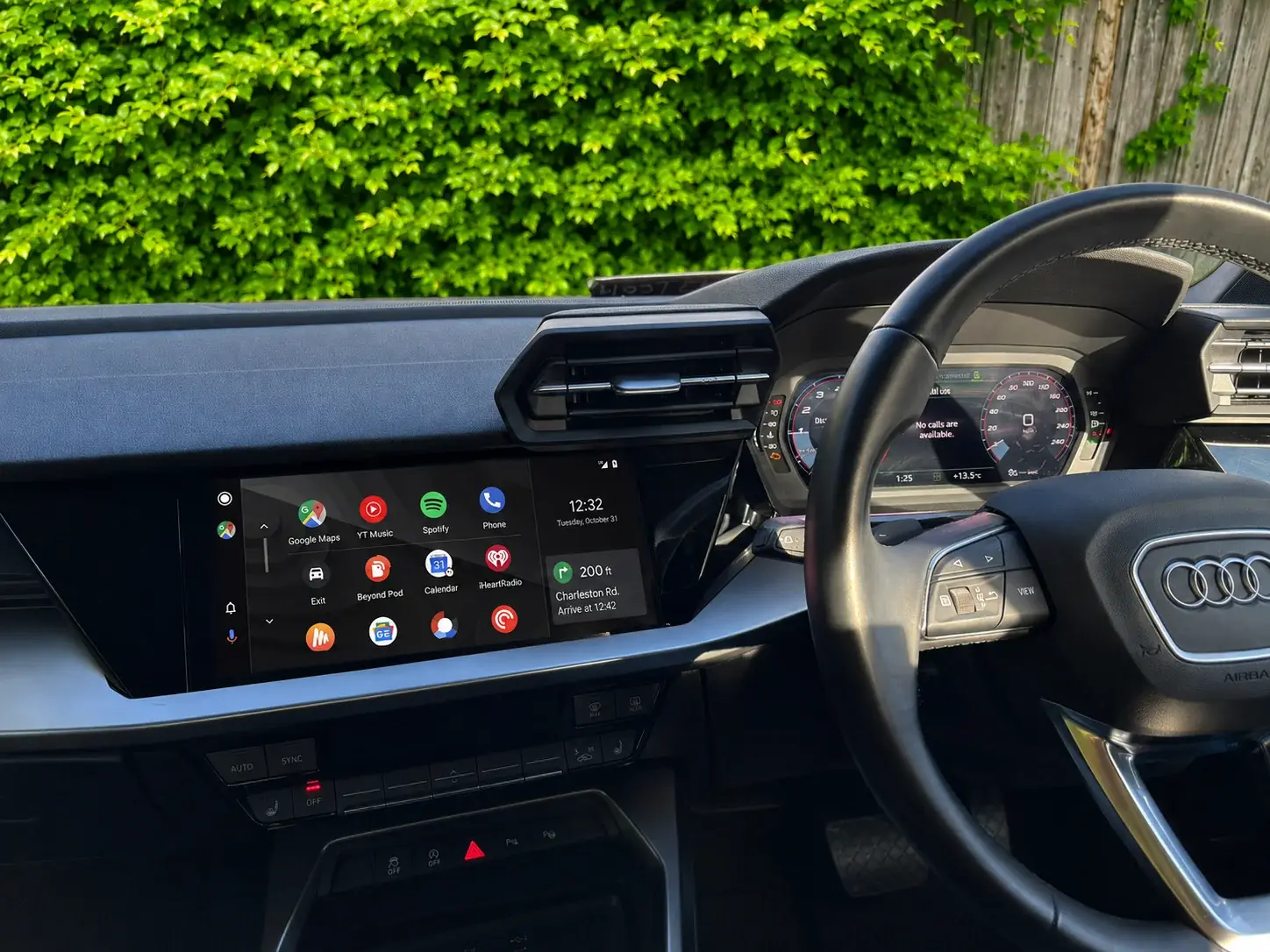
Audi A3 factory MMI screen running Android Auto after smartphone-interface activation at Radio King in Dublin Android Auto
Audi A3 · 2020 Android Auto on the factory MMI after a smartphone-interface activation. Same screen, same buttons.
Read the full job: 2020 VW Tiguan · MIB2 activation
Japanese imports

Japanese spec? Let's check your screen.

A Japanese-market BMW, Audi, Mercedes or Volkswagen Group car needs a check of the unit, its region and its software. Import status alone does not decide whether CarPlay can be activated.

A few useful answers

CarPlay activation, explained.

Still unsure? Message us on WhatsApp — we usually reply in under 5 minutes.

Ask on WhatsApp
What is Apple CarPlay activation?

Activation enables native Apple CarPlay on a factory multimedia unit that supports it but never had the feature switched on. If the necessary hardware or software is missing, coding alone will not add it — so we check the individual unit before recommending the work.

How do I know if my car is compatible?

Send your make, model, year and registration or VIN, along with a clear photo of the home menu. We may also need the software-version screen or an in-car inspection. The model year, the menu design or a greyed-out CarPlay icon on its own is not enough to confirm compatibility.

Can every BMW ID4–ID8 system be activated?

No. Those labels identify different iDrive generations, not a universal activation service. We assess the exact head unit, its software and the car's equipment. Some cars need an update, extra hardware or a retrofit. ID4 is shown in the illustrations to help you identify the system, not to promise software-only activation.

Will CarPlay be wired or wireless?

It depends on the factory unit and how the car was equipped. Some systems connect by USB, others support wireless CarPlay. Activation does not turn a wired-only system into a wireless one. We confirm the connection type for your car before you book.

How much does CarPlay activation cost?

The price depends on the infotainment unit and on whether software updates or additional equipment are needed. Send your car details for a free compatibility check and a quote for your car. If activation is not suitable, we explain the retrofit option and its cost separately.

How long does activation take?

Straightforward activations are often completed in under an hour. A software update, further checks or extra hardware can take longer. We tell you the expected workshop time after checking your system — please arrange your visit in advance.

Do you replace the screen or strip the dashboard?

A confirmed software-only activation keeps the existing factory screen and needs no CarPlay interface box. If the unit needs hardware work, a USB upgrade or a full retrofit, that is different work — and we explain it before you approve the quote.

Why do you ask for a VIN instead of the model and year?

Two identical-looking cars from the same year can leave the factory with different head units, different software and different optional equipment. The VIN tells us what was actually fitted to your car, so the answer we give you is about your car rather than about the model in general.

Can you activate CarPlay on a Japanese import?

We check Japanese imports individually by unit, region and software version. Some are suitable for activation, others need a different solution. Changing Japanese menus to English or converting the FM frequency range is separate work and is quoted separately.

Does activation also include Android Auto?

Some smartphone-interface packages support both Apple CarPlay and Android Auto, but that varies by unit, software and licence — do not assume both are included. Tell us whether you use an iPhone, an Android phone or both, and we'll confirm what is available for your car.

Start with the check

Send the screen. We'll tell you what's possible.

Registration or VIN plus a photo of your home menu is enough for us to confirm whether your car can be activated — before anyone books anything.

Compatibility first
Checked on your VIN, not on the model name
Factory screen kept
No new screen for a software-only activation
Honest second route
If activation is out, we price the module separately
Contact

Book your CarPlay activation.

Tell us about your car and what you're after — we'll come back with honest advice and a clear, no-obligation price.

Hot deal
Google Reviews

What our customers say

4.8

887 Google reviews

  • C

    Conor Walls

    Called them and they booked me in within a couple of hours, same day. The install took less than 30 minutes. Very professional. Highly recommend!

    Verified Google review

  • D

    David Murphy

    Got Apple CarPlay installed by Radio King. Poppy there manager was very helpful and polite. Highly recommend.

    Verified Google review

  • M

    Mark Connor

    Great service, very professional. Installed car radio in 1 hour and 30 minutes. Everything is working great with the radio.

    Verified Google review

  • E

    Ebenezer Kwatchey

    Got new radio and rear sensors for my Honda Vezel, very happy with it. Thank you to Poppy.

    Verified Google review

  • S

    Sofiul Alam

    Service is very good.

    Verified Google review