Skip to content
Radio King Car Audio · Dublin
Call us

Cookie preferences

Choose what we're allowed to load. Nothing optional runs until you say so.

Strictly necessary

Always active

Keep your basket, your light/dark preference and the checkout working. Stored on your device only — we can't switch these off.

Android Auto Specialists

Android Auto Installation in Dublin

Android Auto on the factory screen your car already has.

We code it in where the car allows, and fit a hidden Android Auto box where it doesn’t. The screen, the controls and the look all stay.

Coding Activation Android Auto Box Retrofit Wireless Android Auto Original Screen Retained
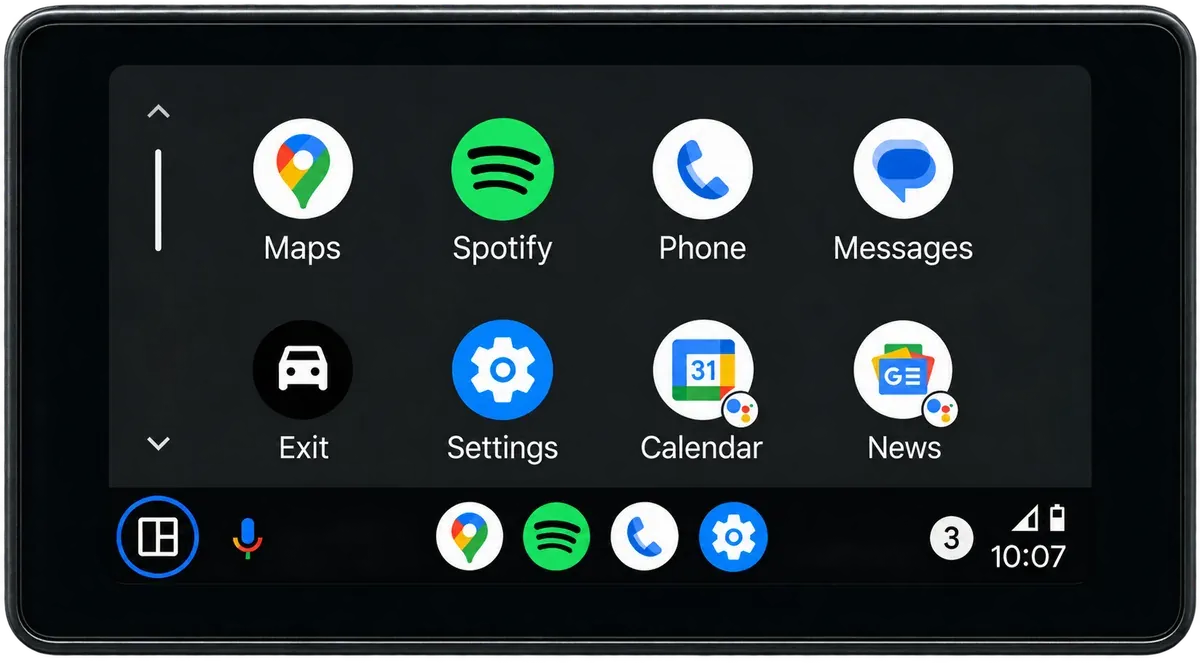
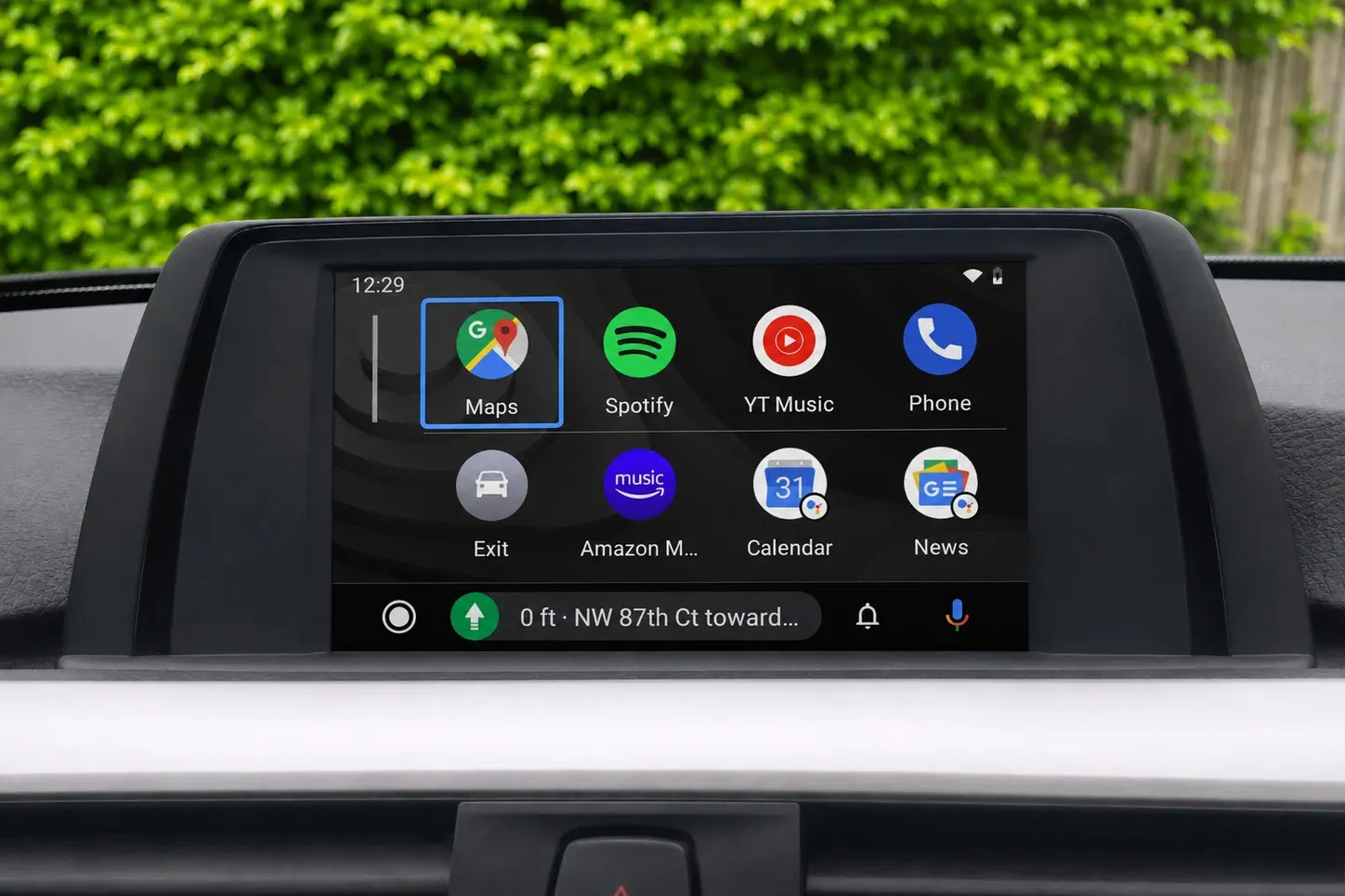
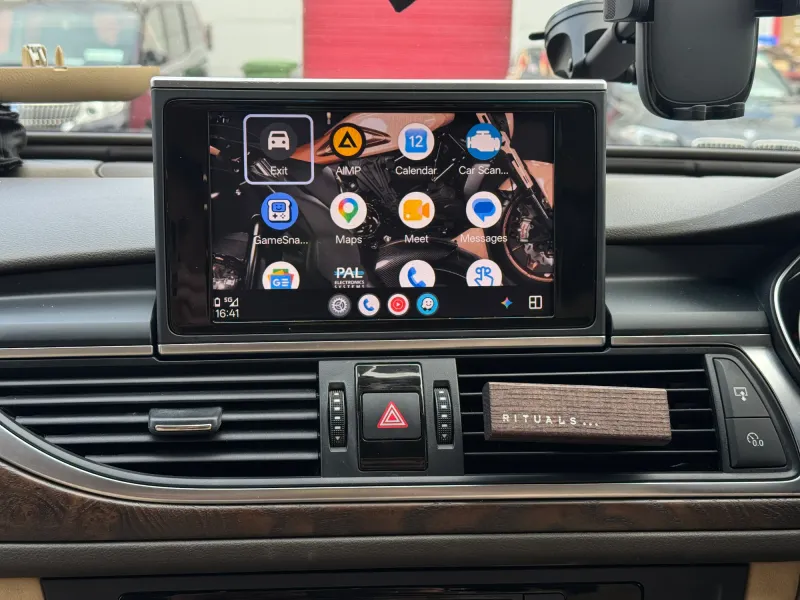
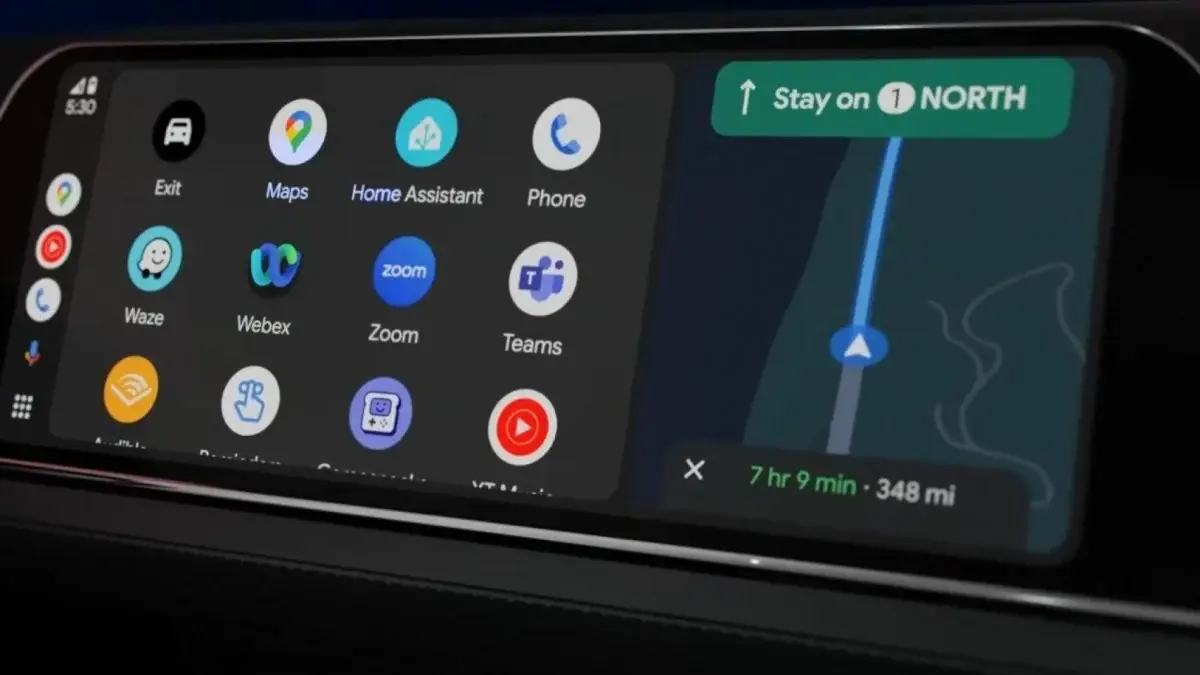
Android Auto home screen with Google Maps, Spotify, Phone, Messages and Google Assistant on a car display
One result, two ways

Two ways to get Android Auto

How your car left the factory decides which route it needs — and we confirm that before we quote you anything.

Option 1 · Software

Android Auto Activation by Coding

When this applies: the hardware for Android Auto is already in the car, but the option was never enabled or ordered.

  • + Nothing removed from the car, no hardware added
  • + The dashboard stays in one piece
  • + Factory look and menus stay exactly the same
  • + Wireless Android Auto on supported systems
Option 2 · Hardware

Android Auto Box (MMI Box) Installation

When this applies: there is nothing to unlock in software, because the car has no Android Auto provision at all.

  • + Android Auto shown on your factory screen
  • + Wired and wireless Android Auto from one module
  • + Nothing lost — every original function stays
  • + Cabling and module fully out of sight
What you actually get

Everything your Android phone does, on the factory screen

Android Auto brings the apps you already rely on to the screen your car came with. Live-traffic navigation, hands-free calling, WhatsApp messages read aloud and answered by voice, plus Spotify and your own music — all run from the factory screen, the steering wheel buttons or Google Assistant, while your phone stays in your pocket.

Android Auto home screen with Maps, Spotify, Phone and Messages icons on a factory car display

Your phone apps, on the car screen

Launch compatible apps from the clean Android Auto home screen — the factory display stays in place. Everything runs off the phone in your pocket, so apps update themselves and nothing extra is installed in the car.

  • Phone
  • Google Maps
  • Messages
  • Spotify
  • YouTube Music
Android Auto on a Mercedes factory screen with Google Maps navigation to Dublin and Spotify playing side by side

Maps on the factory screen

Google Maps or Waze on the original screen, with live traffic, spoken directions and lane guidance. Turn instructions come through the car speakers and the map keeps updating while music plays alongside it.

  • Google Maps
  • Waze
  • Live traffic
Hands-free incoming call shown on a factory car screen through Android Auto

Calls and messages, hands-free

Answer from the steering wheel, see who is calling and reply to WhatsApp or SMS through Google Assistant. Messages are read aloud and answered by voice, so nothing is typed while you drive.

  • Calls
  • WhatsApp
  • SMS
  • Google Assistant
Spotify playback with album artwork on an Android Auto car screen

Your music, Spotify and podcasts

Your own library, Spotify, YouTube Music and podcasts — with artwork, playlists and controls that are safe to use on the road. The steering wheel buttons skip tracks exactly as they did with the original radio.

  • Spotify
  • YouTube Music
  • Podcasts
  • Audiobooks

Android Auto arrives either by factory activation or through a hidden retrofit module, depending on the car. Factory functions, controls and your original screen all stay — and an iPhone in the same household gets Apple CarPlay from the same module.
Pick your upgrade

Choose the right Android Auto upgrade

The price depends on the car, its factory screen and the type of installation — get in touch for an exact figure.

Activation

Android Auto Activation

Starting from €150
  • Activation in the factory software
  • Your original screen stays
  • Hardware left untouched
  • Includes a compatibility check
Most Popular

Android Auto Retrofit Installation

Starting from €450
  • Wired & wireless Android Auto
  • Integrated in OEM style
  • Factory controls kept
  • Fitted by our own installers

Not sure what fits your car? Send a dashboard photo along with the model and year, and we’ll suggest the best option.

The software route

How Android Auto activation works

No wiring, no box and no dashboard stripped down. If the hardware is already in the car, Android Auto is enabled in its own software via the diagnostic port — typically in far less than two hours.

It is already in the car

Many factory head units were built able to run Android Auto, yet the option was never ordered or was left off at the factory. The car is not missing anything — the feature simply is not switched on.

Build data comes first

Your registration number tells us exactly what the car was built with, so before anything is booked or quoted we already know whether the head unit can be enabled.

All via the diagnostic port

We plug a laptop and a dealer-level diagnostic interface into the OBD port. Nothing is added to the car, no panels come off and no trim is removed.

We change the coding value

Android Auto is enabled in the multimedia module’s coding — exactly how the factory would have set it if the option had been ordered.

Tested and paired before you leave

While you wait, we pair your Android phone, open Android Auto on the factory screen and check the factory menus and steering wheel controls.

Nothing else changes, and it can be undone

We touch only the Android Auto option. The rest of the car’s configuration stays exactly as it was, and the coding can be reverted whenever you like.

Before and after — same car, same screen

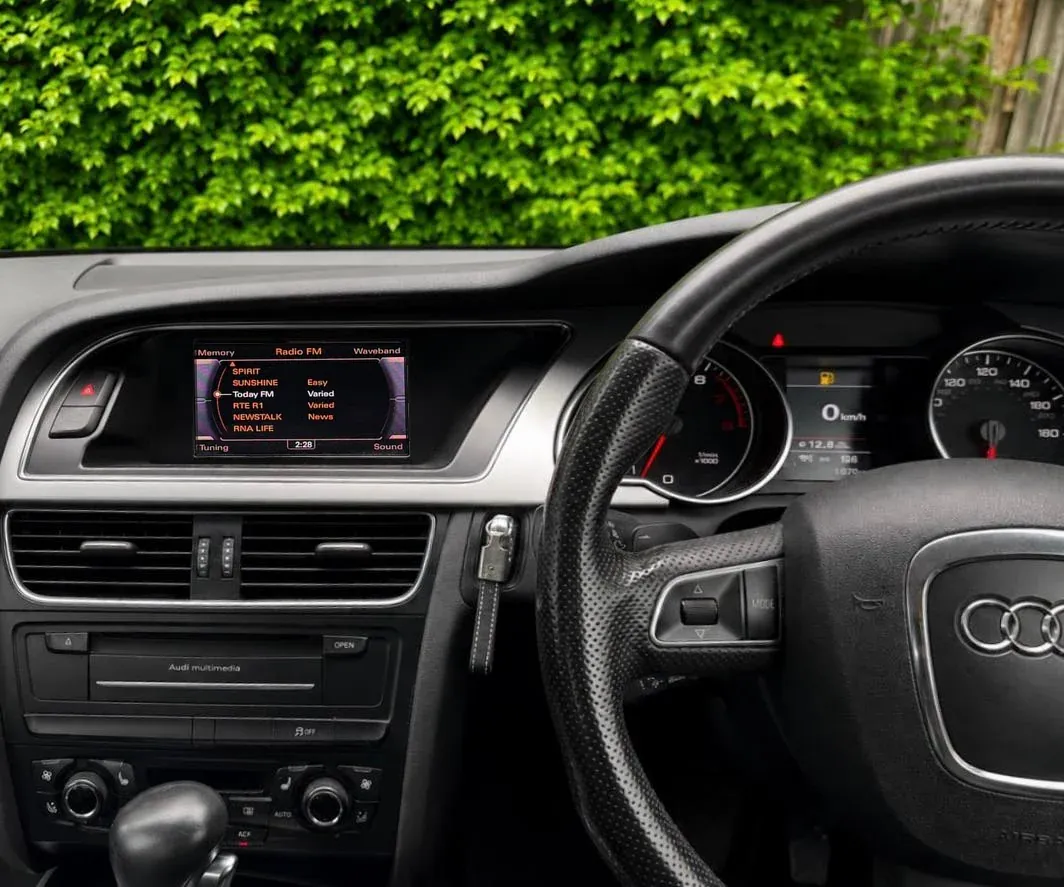
Audi A4 factory radio screen showing FM stations before Android Auto was activated Before
Original menus, untouched — the factory radio as it came.
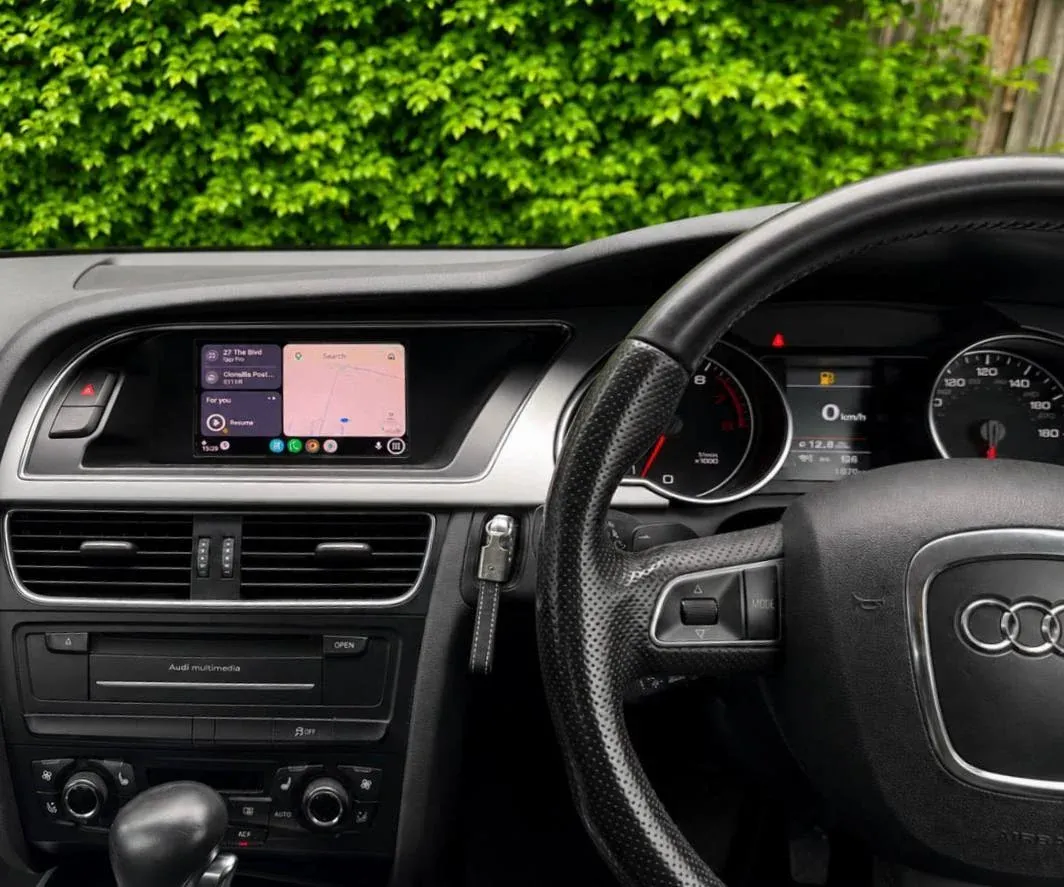
Android Auto running on the original Audi A4 factory screen after activation, dashboard unchanged After · Android Auto
The very same screen, now running Android Auto. Nothing on the dash was replaced.
The hardware route

What an Android Auto box actually is

Roughly paperback-sized, the box sits between the factory screen and its video source, adds an Android Auto interface of its own and hands control straight back when you switch away. Coding is a software change via the diagnostic port; a box means physical work — which is where the extra time goes.

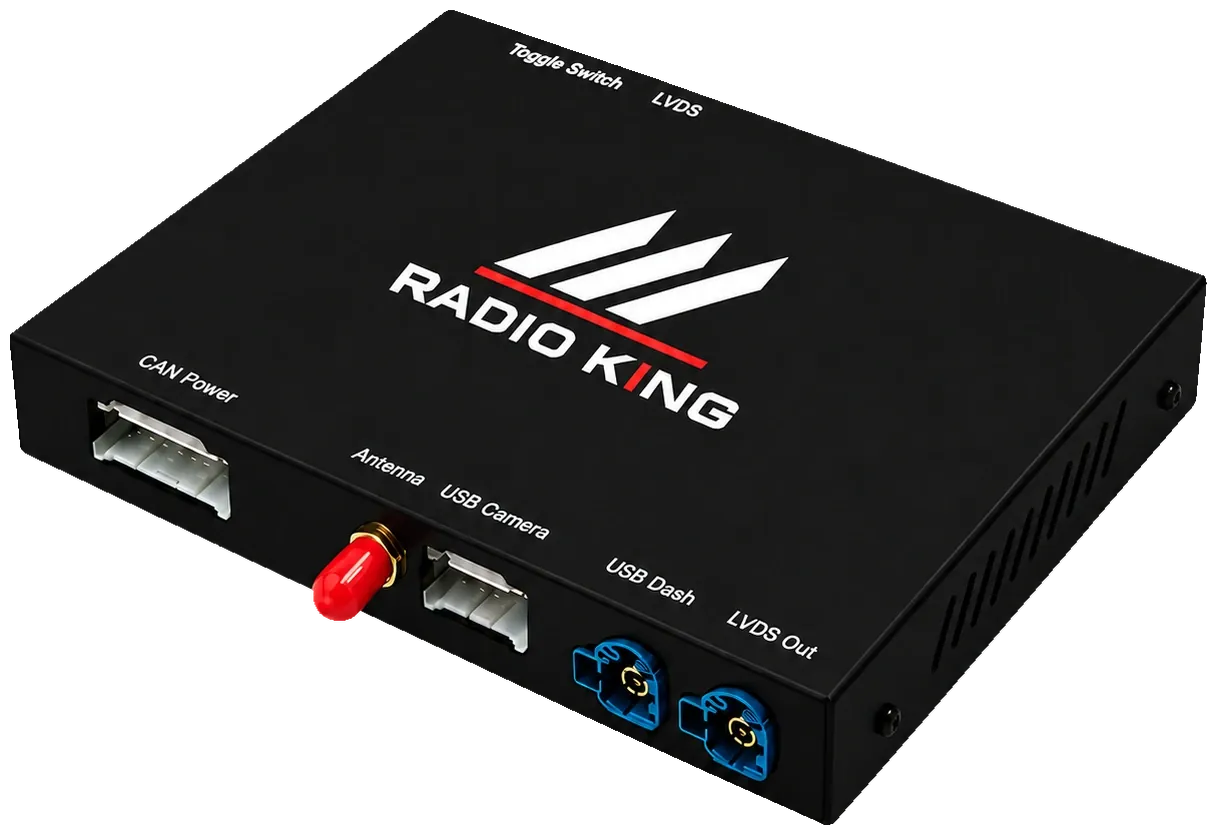
Radio King Android Auto box module showing its CAN power, antenna, USB camera, USB dash, LVDS and LVDS Out connections
The module on its own — all the connections listed below plug into these ports, and the whole unit lives behind the dashboard.

Interface module

The box, with CAN power, LVDS in and out, antenna and USB inputs.

Fitting it: Secured in a cavity behind the dash with room to breathe, so it cannot move or rattle on Irish roads.

LVDS video feed

Sends the image to your original screen in its native resolution.

Fitting it: We remove trim to reach behind the factory screen, unplug the cable and wire the box inline, so the original picture still comes through.

Plug-and-play harness

A loom made for your specific vehicle, powering the module from the existing CAN connector.

Fitting it: The factory loom is never cut or spliced, so the entire installation can be reversed later on.

Wireless antenna

Where supported, it carries the wireless connection to your Android phone.

Fitting it: Run along the existing looms behind the dash and placed for good signal, not just hidden anywhere.

USB leads

For wired Android Auto and, where compatible, a dash cam or reversing camera feed.

Fitting it: Each lead is secured and taped — nothing on show, nothing loose, nothing able to rub through.

Toggle switch input

Lets you flip between Android Auto and the factory menu with the controls you already have.

Fitting it: Panels are refitted exactly as they came off, then we test Android Auto, the factory menus, steering wheel buttons, camera and sensors.

Latest Work

Recent Android Auto Installations

Some of the Android Auto upgrades Radio King has recently completed in Dublin.

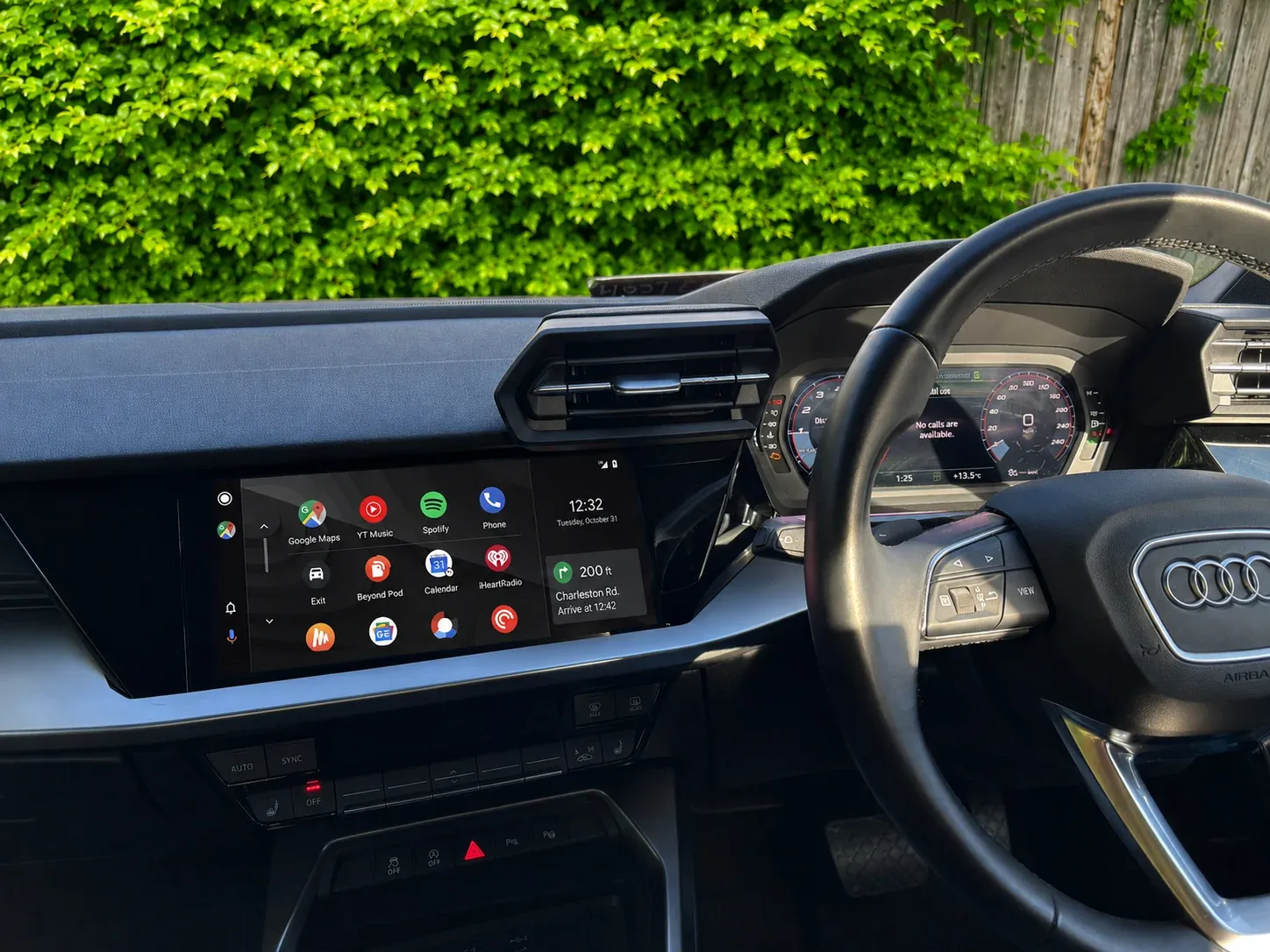
Android Auto running on the original Audi A3 factory screen in Dublin
Audi

Audi A3 Android Auto Activation

Coded to switch on factory Android Auto, no extra hardware.

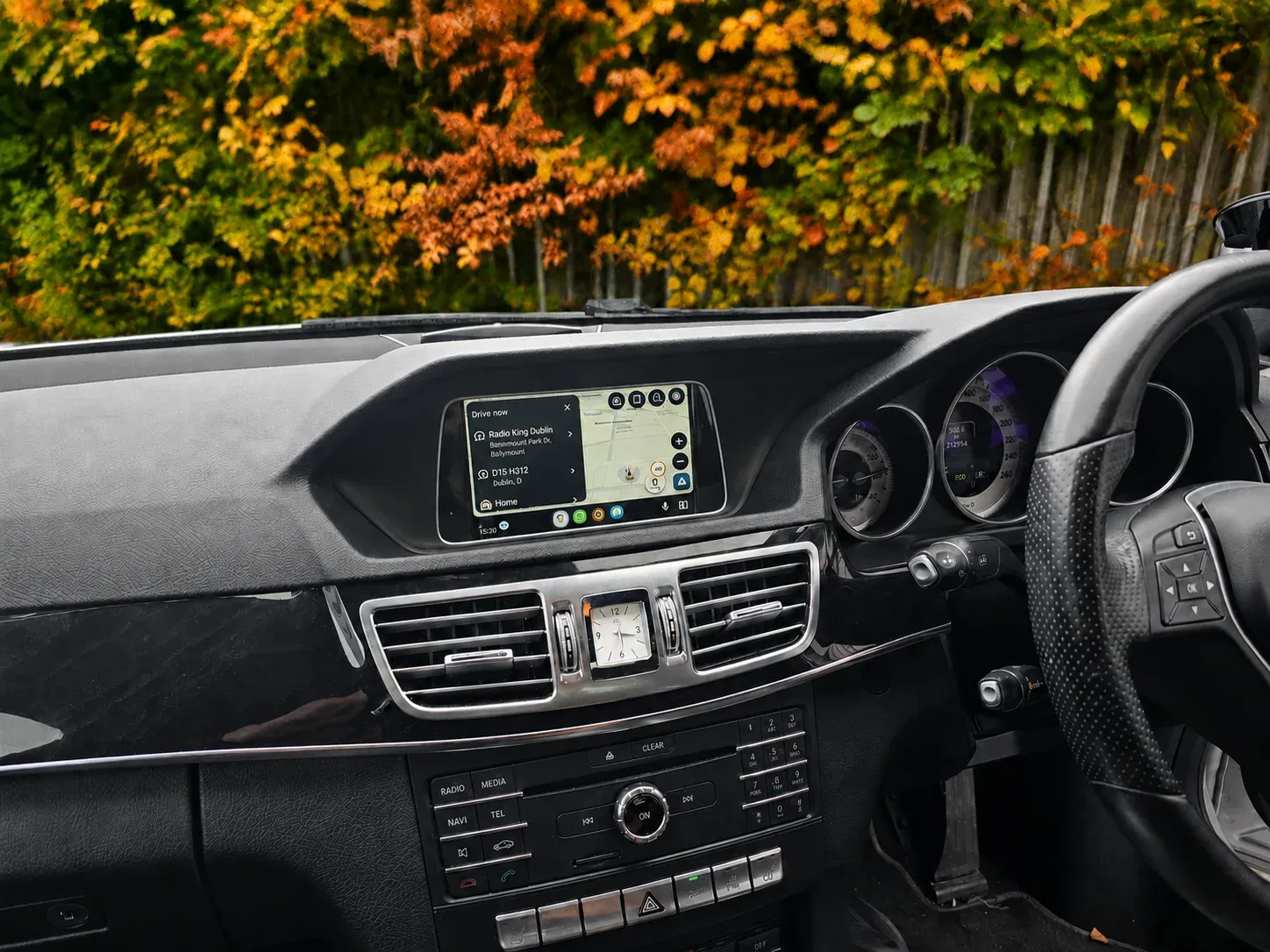
Android Auto with Google Maps navigation on a Mercedes E-Class factory screen in Dublin
Mercedes-Benz

Mercedes E-Class Android Auto Retrofit

Factory screen kept, Android Auto fitted behind the dash.

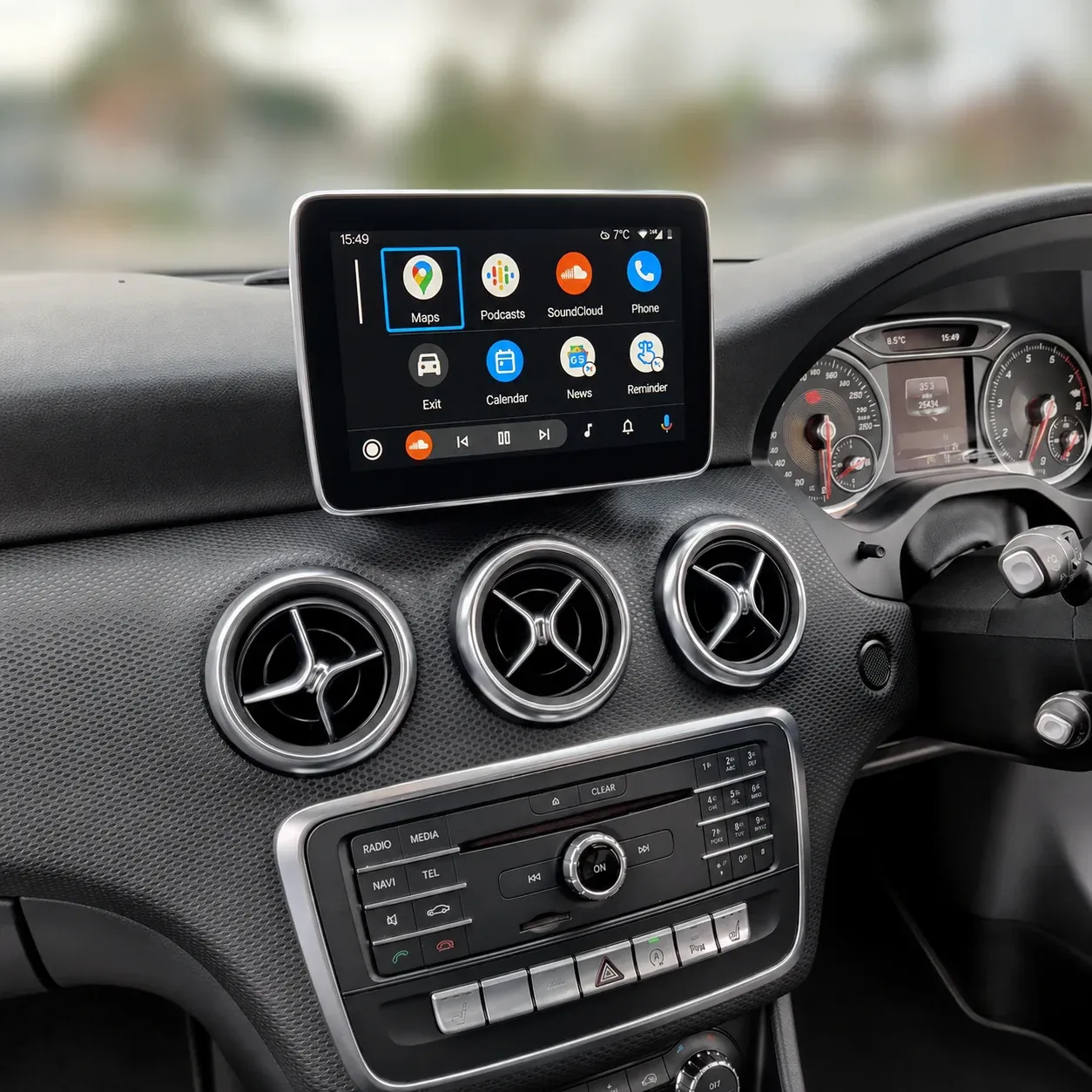
Android Auto on the original Mercedes A-Class factory screen after retrofit in Dublin
Mercedes-Benz

Mercedes A-Class Android Auto Retrofit

Nothing replaced — Android Auto added to the original screen.

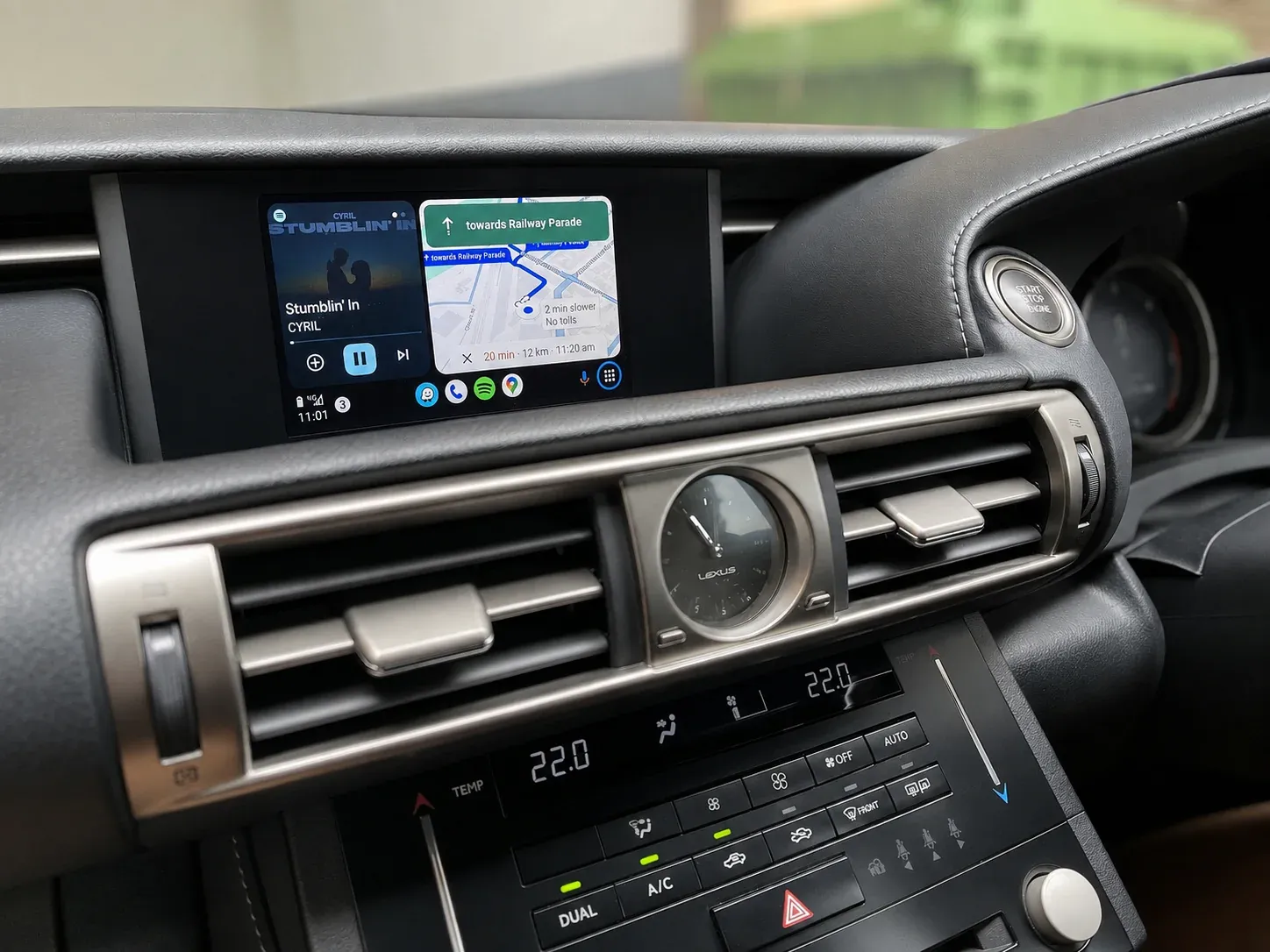
Android Auto showing music and Google Maps on a Lexus factory screen in Dublin
Lexus

Lexus Android Auto Retrofit

Maps and music side by side on the factory screen.

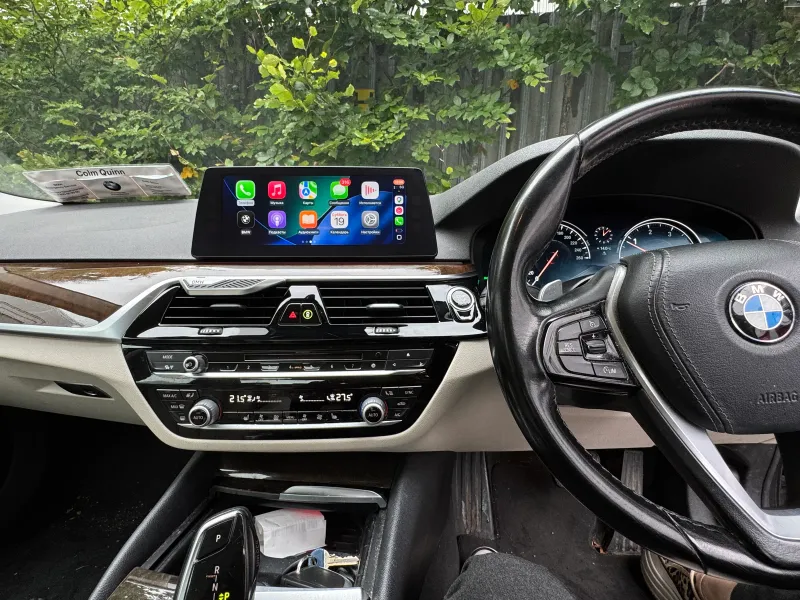
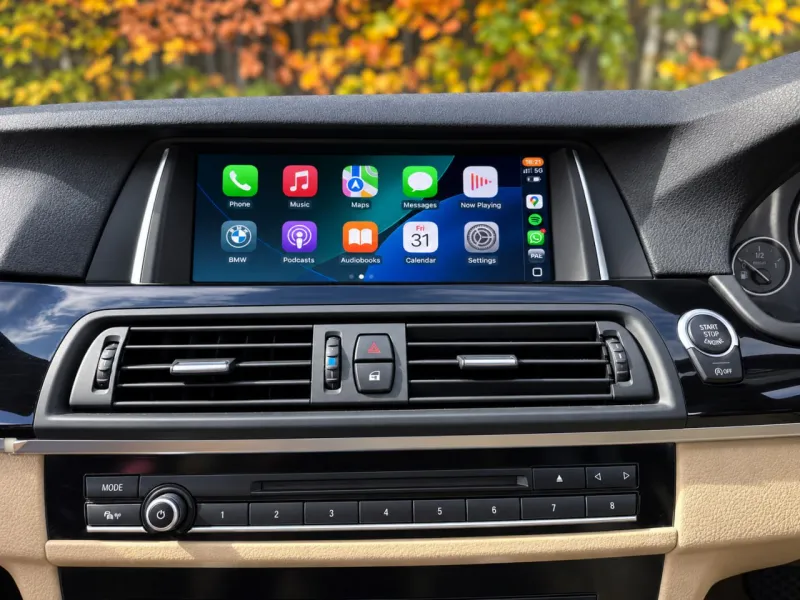
Android Auto app menu on a BMW factory iDrive screen in Dublin
BMW

BMW Android Auto Upgrade

Android Auto added, original iDrive screen kept.

Compatibility

Vehicles compatible

Whether a car is compatible depends on its model, year of production, factory screen and the multimedia system running it. We handle Audi MMI and MIB, BMW CIC, NBT and NBT EVO, Mercedes NTG and Volkswagen MIB, as well as the factory systems in Lexus, Mazda, Jaguar and Land Rover — and match each one to the right solution.

BMWAudiMercedes-BenzVolkswagenLexusMazdaToyotaHondaNissanMitsubishiBMWAudiMercedes-BenzVolkswagenLexusMazdaToyotaHondaNissanMitsubishi
PorscheJaguarLand RoverSkodaSEATSubaruSuzukiVolvoHyundaiKiaPorscheJaguarLand RoverSkodaSEATSubaruSuzukiVolvoHyundaiKia
Android Auto Installation
Wireless Android Auto
OEM Retrofit Solutions
Japanese & European Vehicles
FAQ

Android Auto upgrade questions.

Still unsure? Message us on WhatsApp — we usually reply in under 5 minutes.

Ask on WhatsApp
How can I tell whether my car can be coded?

That comes down to how the car was built. When the factory multimedia system already has the hardware for Android Auto and the option was simply never enabled or ordered, coding turns it on. Send your registration number and we’ll check the build data before we quote.

And if my car can’t be activated?

Then the route is an Android Auto box retrofit. The module goes behind the dashboard and is wired into your original screen’s video feed, so Android Auto shows on the factory display instead of a replacement unit.

Will an Android Auto box replace my original screen?

No — nothing gets replaced. Android Auto is added next to the factory system, which stays live and fully usable. Switch between them whenever you like with the car’s existing controls.

Does installation involve cutting or drilling?

No. A plug-and-play harness made for your vehicle powers the module through an existing connector, so the factory wiring is never spliced or cut. Everything can be reversed.

Do my reversing camera, parking sensors and steering-wheel controls keep working?

Where supported, steering-wheel controls stay, and where compatible, reversing cameras and parking sensors stay too. We retest all of them before handing the car back. What exactly is kept depends on the vehicle and its factory multimedia system.

Which Android phones work with it?

Android Auto runs on phones with Android 8.0 or newer; wireless Android Auto needs Android 11 or newer and a phone with 5 GHz Wi‑Fi. An iPhone in the same household is covered too — the retrofit module runs Apple CarPlay as well, and many factory systems that can be coded for Android Auto can be coded for CarPlay at the same time.

How long does each route take?

Activation by coding usually takes 30–90 minutes. Fitting an Android Auto box takes a few hours: trim comes off, cables are routed out of sight, then everything is refitted and tested. The exact time depends on the vehicle.

Contact

Request your Android Auto quote.

Coding or an Android Auto box — not sure which your car needs? Send the make, model, year and registration (a dashboard photo helps) and we'll tell you which route applies, with a clear price either way.

Phone or email — whichever suits you *

Hot deal
Google Reviews

What our customers say

Over 10 years of work since August 2016, we are rated 4.8 from 1,094 Google reviews, as of 9 October 2026.

4.8

1,094 Google reviews

  • S

    SpongeBobKillah

    Fats friendly and service is next level, always communicating about the work and giving up to dates

    1 day ago

  • A

    Alonso Houlihan

    Radioking converted the radio in my Japanese import, looks great and great service

    1 day ago

  • C

    Csaba Sarkadi

    They installed Replacement media centre into my Japanese import Nissan Note in record time. Everything works great so far.

    5 days ago

  • M

    Musa Karabacak

    Excellent service from Radio King. They supplied and professionally installed a 70mai T800 three-channel camera system in my taxi, covering the front, rear and passenger cabin. The wiring was fitted neatly and everything was fully…

    6 days ago

  • T

    Triona

    A new radio fitted and the staff were fabulous - fair prices and great service

    1 week ago

  • C

    Carmel Mulholland

    Very pleasant staff and fitted the carphone mike quickly. Working very well.

    1 week ago

  • Z

    Zoila Romero

    The Experience was excelent. I got the screen radio I wanted and a web cámara. The staff is very friendly and respecful. I highly recomend them.

    1 week ago

  • G

    Giles Lloyd

    Very helpful and knowledgeable guys delighted with dash cam so far. Thanks again.

    1 week ago