S
SpongeBobKillah
Fats friendly and service is next level, always communicating about the work and giving up to dates
4 weeks ago
Radio King does CarPlay and Android Auto retrofit on every Dacia Duster generation we see: Mk1 (2013–2018): Our Duster Android screen with wireless CarPlay and Android Auto replaces the basic radio or the Media Nav unit in the same opening, since neither had CarPlay; Mk2 (2018–2024): Factory CarPlay and Android Auto on Media Nav Evolution and Media Display cars, wired by USB, so most owners add a wireless adapter; basic radio cars take the Duster Android screen; Mk3 (2024 on): Factory wireless CarPlay and Android Auto on Media Display and Media Nav Live cars, so nothing is added; on Essential cars with the Media Control phone cradle we advise by reg. From €250 incl. VAT. Send your reg and we confirm the route and the price the same day.
Find your years in the first two columns. The factory system decides the route, and the route decides the price — send the reg if you are not sure which one you have.
| Generation | Years | Factory system | How we do it | From (incl. VAT) |
|---|---|---|---|---|
| Mk1 | 2013–2018 | Basic radio with Bluetooth and no screen on Access and Ambiance; 7-inch Media Nav on higher trims, Media Nav Evolution from the 2016 facelift; no CarPlay | Our Duster Android screen with wireless CarPlay and Android Auto replaces the basic radio or the Media Nav unit in the same opening, since neither had CarPlay | from €290 |
| Mk2 | 2018–2024 | Basic radio on Access and Essential; 7-inch Media Nav Evolution with CarPlay and Android Auto on Comfort and Prestige; 8-inch Media Display and Media Nav from the 2021 facelift, with wireless CarPlay on some Media Nav cars | Factory CarPlay and Android Auto on Media Nav Evolution and Media Display cars, wired by USB, so most owners add a wireless adapter; basic radio cars take the Duster Android screen | from €250 |
| Mk3 | 2024 on | Media Control with a phone cradle and no screen on Essential; 10.1-inch Media Display or Media Nav Live with wireless CarPlay and Android Auto on Expression, Journey and Extreme | Factory wireless CarPlay and Android Auto on Media Display and Media Nav Live cars, so nothing is added; on Essential cars with the Media Control phone cradle we advise by reg | from €290 |
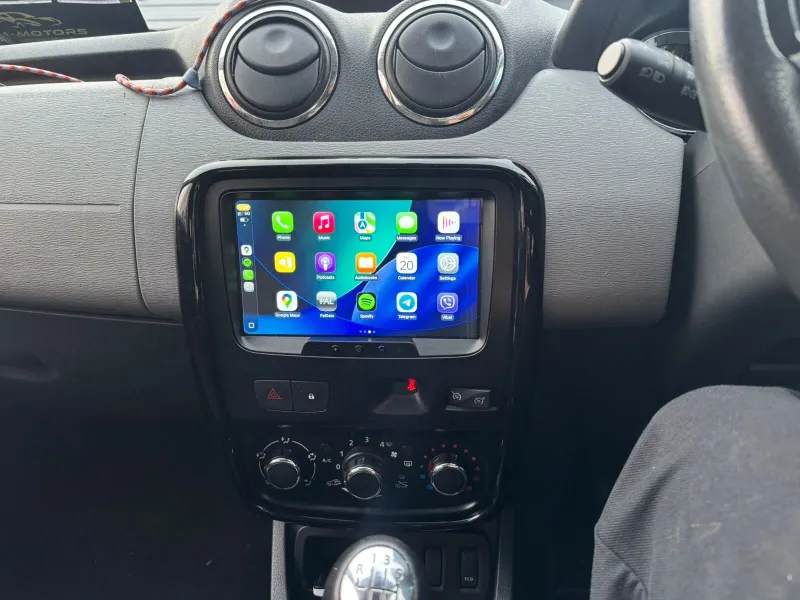
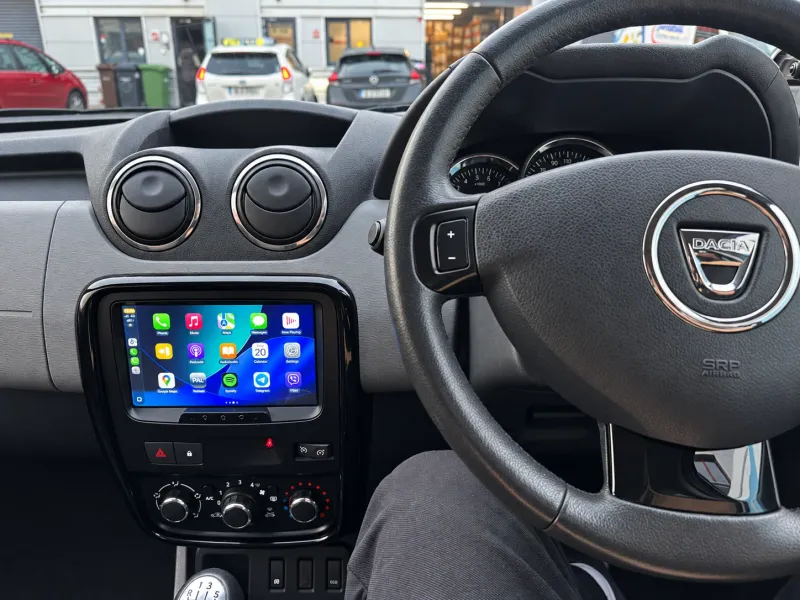
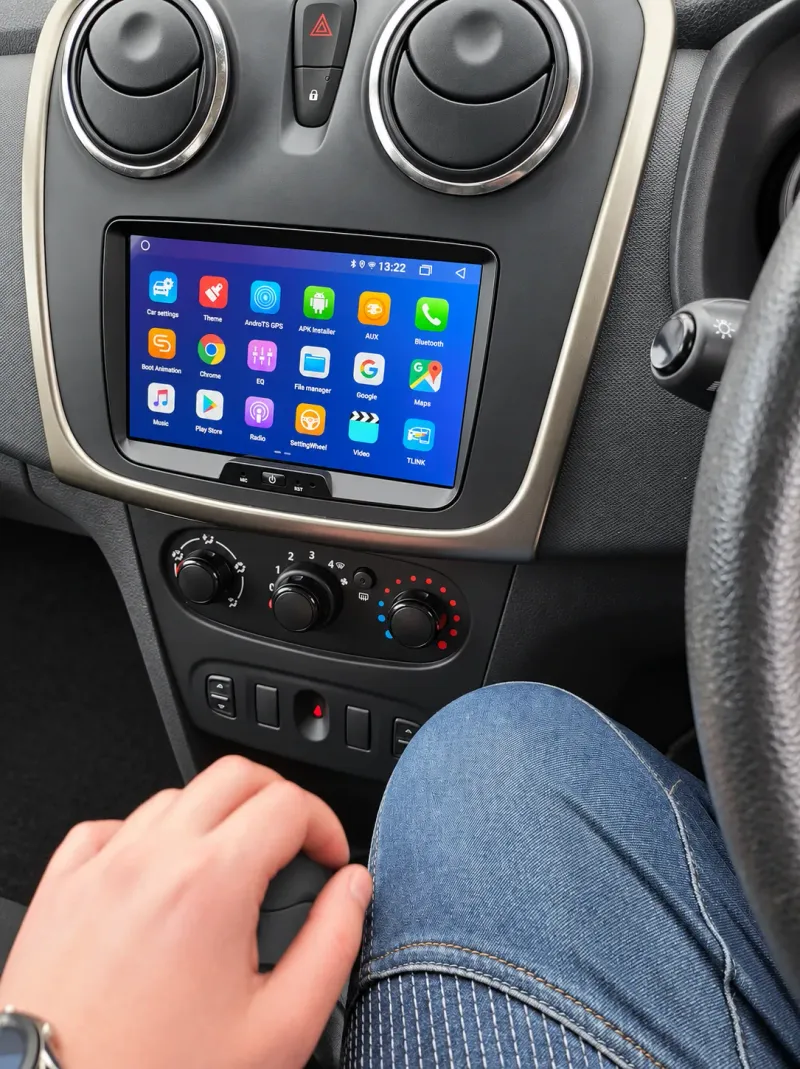
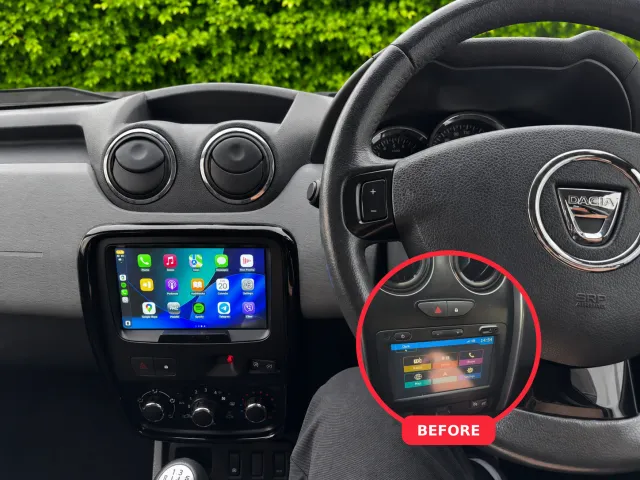
Duster CarPlay first, then other Dacia work from the Dublin 11 workshop: what was fitted and what changed on the dash.
Supply-only with delivery across Ireland, or fitted at our Dublin 11 workshop with the fitting booked at checkout.
Generation-by-generation guides first, then everything else the workshop does on a Dacia.
Answers for Duster owners. Something else? Message us on WhatsApp — we usually reply in under 5 minutes.
Ask on WhatsAppThe 2013 to 2018 Media Nav and Media Nav Evolution in the Mk1 never had CarPlay, so the practical route is our Duster Android screen: it replaces the unit in the same opening, keeps the column stalk and the factory speakers, and adds wireless CarPlay and Android Auto, DAB and a camera input. The Duster we did recently for CarPlay went this way.
Comfort and Prestige cars with Media Nav Evolution do, wired over USB, as do 2021 on cars with Media Display, and the usual job there is a wireless adapter so the phone connects on its own. Access and Essential cars with the basic radio have no screen, so they take the Duster Android screen. The Mk3 from 2024 has wireless CarPlay built in on every trim except Essential.
It depends on the generation. Mk1 (2013–2018): from €290; Mk2 (2018–2024): from €250; Mk3 (2024 on): from €290. Fitting is done at our Dublin 11 workshop — send the reg and we confirm the exact price before you book.
Mk1, built 2013–2018 (Basic radio with Bluetooth and no screen on Access and Ambiance; 7-inch Media Nav on higher trims, Media Nav Evolution from the 2016 facelift; no CarPlay): Our Duster Android screen with wireless CarPlay and Android Auto replaces the basic radio or the Media Nav unit in the same opening, since neither had CarPlay. Mk2, built 2018–2024 (Basic radio on Access and Essential; 7-inch Media Nav Evolution with CarPlay and Android Auto on Comfort and Prestige; 8-inch Media Display and Media Nav from the 2021 facelift, with wireless CarPlay on some Media Nav cars): Factory CarPlay and Android Auto on Media Nav Evolution and Media Display cars, wired by USB, so most owners add a wireless adapter; basic radio cars take the Duster Android screen. Mk3, built 2024 on (Media Control with a phone cradle and no screen on Essential; 10.1-inch Media Display or Media Nav Live with wireless CarPlay and Android Auto on Expression, Journey and Extreme): Factory wireless CarPlay and Android Auto on Media Display and Media Nav Live cars, so nothing is added; on Essential cars with the Media Control phone cradle we advise by reg.
Mk1: two to three hours; Mk2: two to three hours; Mk3: two to three hours. You can wait at the workshop or drop the Duster in the morning and collect it the same day.
Mk1: the display is replaced, but the steering-wheel buttons, the factory amplifier and the climate controls are kept. Mk2: the display is replaced, but the steering-wheel buttons, the factory amplifier and the climate controls are kept. Mk3: the display is replaced, but the steering-wheel buttons, the factory amplifier and the climate controls are kept.
Yes — send the reg or the year and generation (Mk1, Mk2 and Mk3) on WhatsApp or the form below, and we confirm the route, the price and the next free slot. The work carries a one-year warranty, and the workshop is in Rosemount Business Park, Dublin 11, Monday to Saturday.
The same job on other Dacia series, the make hub and the guides that go with this page.
Tell us the year — we'll confirm the generation, the route, the price and the next free slot.
Over 10 years of work since August 2016, we are rated 4.8 from 1,094 Google reviews, as of 9 October 2026.
1,094 Google reviews
Fats friendly and service is next level, always communicating about the work and giving up to dates
4 weeks ago
Radioking converted the radio in my Japanese import, looks great and great service
4 weeks ago
They installed Replacement media centre into my Japanese import Nissan Note in record time. Everything works great so far.
4 weeks ago
Excellent service from Radio King. They supplied and professionally installed a 70mai T800 three-channel camera system in my taxi, covering the front, rear and passenger cabin. The wiring was fitted neatly and everything was fully…
1 month ago
A new radio fitted and the staff were fabulous - fair prices and great service
1 month ago
Very pleasant staff and fitted the carphone mike quickly. Working very well.
1 month ago
The Experience was excelent. I got the screen radio I wanted and a web cámara. The staff is very friendly and respecful. I highly recomend them.
1 month ago
Very helpful and knowledgeable guys delighted with dash cam so far. Thanks again.
1 month ago